
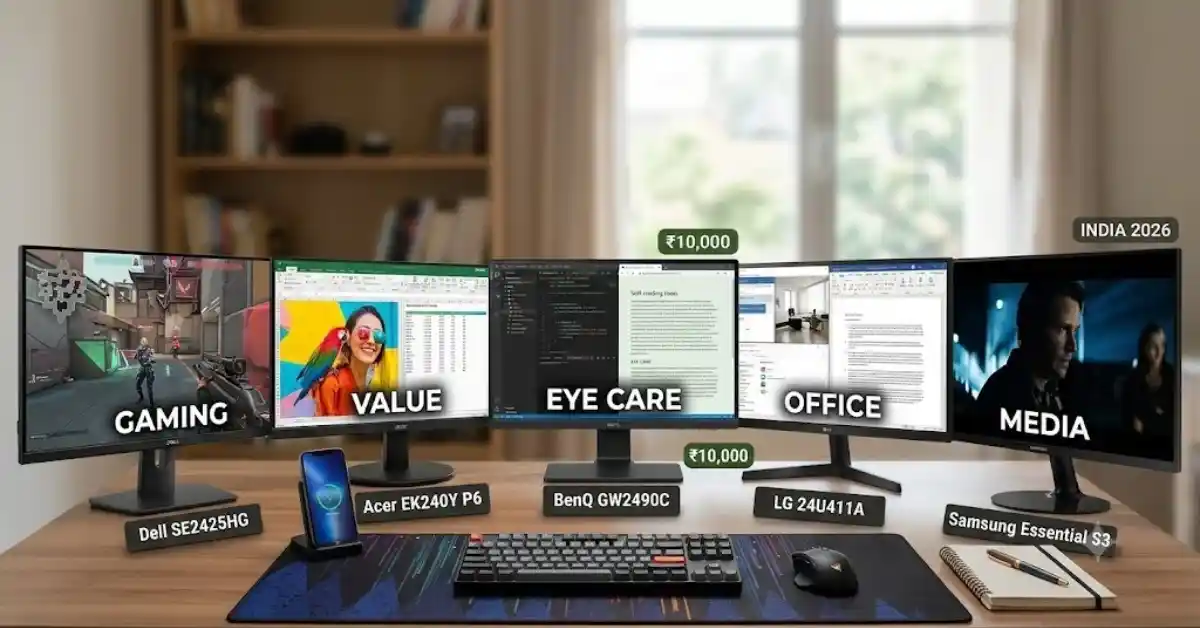
The Dell SE2425HG (~₹9,649) is the best overall computer monitor under ₹10,000 in India if you want a reliable screen for both work and gaming. It features a 23.8-inch Full HD Fast IPS panel, a smooth 200Hz refresh rate, dual HDMI 2.1 ports, and Dell’s reliable pan-India warranty support.
If you want to spend less while getting great value for work and study, the Acer EK240Y P6 (~₹6,749) is a top pick. It gives you a 23.8-inch 144Hz IPS panel with 99% sRGB color accuracy. If your main concern is eye comfort during long 8+ hour work sessions, the BenQ GW2490C (~₹8,999) offers excellent TÜV Rheinland-certified eye care, auto-brightness adjustment, and USB Type-C connectivity.
Best Monitors Comparison Table
| Feature | Dell SE2425HG | Acer EK240Y P6 | BenQ GW2490C | LG 24U411A / 24MR400 | Samsung Essential S3 |
|---|---|---|---|---|---|
| Screen Size | 23.8 inch | 23.8 inch | 23.8 inch | 23.8 inch | 24 inch |
| Panel Type | Fast IPS | IPS | IPS | IPS | VA / IPS (variant-dependent) |
| Refresh Rate | 200Hz | 144Hz | 100Hz | 100Hz | 100Hz |
| Ports | 2 × HDMI 2.1, 1 × DP 1.4 | 1 × HDMI 1.4, 1 × VGA | 1 × USB-C, 1 × DP, 1 × HDMI | 1 × HDMI, 1 × D-Sub/DP (model-dependent) | 1 × HDMI 1.4, 1 × D-Sub |
| Best For | All-round use and gaming | Budget value and work | Eye care and a clean desk setup | Office work and everyday media | High contrast and movies |
Key Takeaways
- IPS Panels are Standard: Avoid older TN panels. IPS panels give you better colors and wide 178-degree viewing angles, which help a lot during daily work.
- 100Hz is the New Baseline: Old 60Hz and 75Hz monitors are outdated. Entry-level screens now start at a 100Hz refresh rate, giving you smoother scrolling and less eye strain.
- High Refresh Rates Under ₹10k: Gamers can now get 144Hz to 200Hz Fast IPS displays under ₹10,000 without losing panel quality.
- Eye Care Matters: Features like flicker-free lights, low blue light filters, and matte anti-glare coatings protect your eyes from bright ceiling lights in Indian homes.
- Check the Warranty: Always pick models with at least a 3-year brand warranty. Onsite home pickup service (offered by brands like Dell and HP in major cities) makes repairs much easier.
Introduction
Finding a reliable and clear computer monitors under ₹10,000 in India used to mean making heavy compromises. You had to settle for dull TN panels, slow 60Hz refresh rates, or thick plastic borders.
Thanks to manufacturing improvements, budget monitors under ₹10,000 in India now handle office work, coding, online classes, and fast gaming very well.
Whether you are setting up a work-from-home desk, building a budget gaming PC, or adding a second screen to your laptop, this guide looks at the best computer monitors under ₹10,000 based on display quality, features, ports, and customer support.
Top 5 Computer Monitors Under ₹10,000 in India
1. Dell SE2425HG — Best Overall & Gaming Performance

The Dell SE2425HG sets a high standard for the sub-₹10,000 price range in India. It pairs a clear 23.8-inch Full HD Fast IPS display with a fast 200Hz refresh rate and a 1ms response time.
Unlike older budget monitors that skimp on ports, this model includes two HDMI 2.1 ports and a DisplayPort 1.4. This lets you connect both a PC and a gaming console or laptop at the same time without swapping cables. Dell’s ComfortView software cuts down harmful blue light without messing up colors, making it comfortable for long office shifts and evening gaming.
- Screen Size & Resolution: 23.8-inch Full HD (1920 × 1080)
- Panel Type: Fast IPS
- Refresh Rate & Response Time: 200Hz / 1ms GtG
- Connectivity: 2x HDMI 2.1, 1x DisplayPort 1.4, Audio Line-out
- Pros: Very smooth 200Hz display, dual HDMI 2.1 ports, sturdy build quality, 3-year Dell pan-India warranty.
- Cons: Stand only adjusts for tilt (no height adjustment).
2. Acer EK240Y P6 — Best Value for Money
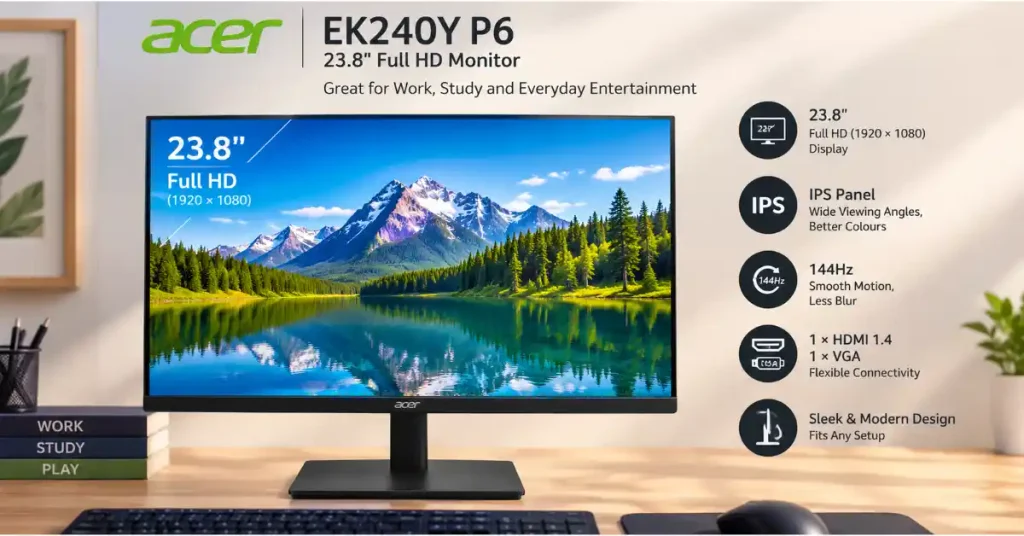
If you want to spend well under ₹10,000 while getting great performance, the Acer EK240Y P6 is a smart choice (usually priced around ₹6,500–₹7,000).
It comes with a 23.8-inch Full HD IPS panel running at a 144Hz refresh rate with 99% sRGB color accuracy. Images look sharp and colorful whether you are working on Excel sheets, video calling, or playing casual games. The thin bezel design also looks great if you use two monitors side-by-side.
- Screen Size & Resolution: 23.8-inch display with a Full HD resolution of 1920 × 1080 pixels for sharp, clear visuals.
- Panel Type: IPS
- Refresh Rate & Response Time: 144Hz / 1ms VRB
- Connectivity: 1x HDMI 1.4, 1x VGA
- Pros: Great price, 99% sRGB color accuracy, 144Hz refresh rate, supports AMD FreeSync.
- Cons: No DisplayPort input; limited port choices.
3. BenQ GW2490C — Best for Eye Comfort & WFH Productivity

If you work or study for 8 to 12 hours a day and want to avoid eye strain, BenQ’s Eye-Care technology is a great option. The BenQ GW2490C features built-in Brightness Intelligence (B.I.) technology. It uses a small sensor to automatically adjust your screen brightness and color warmth based on the light in your room.
The monitor also includes a USB Type-C port that carries video signals. This lets modern laptop users connect to the screen using just one single cable. Special reading and coding modes make text look sharper and easier on the eyes.
Screen Size & Resolution: Comes with a 23.8-inch screen and Full HD resolution (1920 × 1080 pixels) for clear, sharp images.
- Panel Type: IPS
- Refresh Rate: 100Hz
- Connectivity: 1x USB Type-C, 1x DisplayPort 1.2, 1x HDMI 1.4, Built-in Speakers
- Pros: Auto-brightness sensor, USB-C connection, special text modes, TÜV Rheinland certified.
- Cons: 100Hz refresh rate is lower than dedicated gaming models in this budget.
4. LG 24U411A / LG 24MR400 — Best for Everyday Home and Office Work
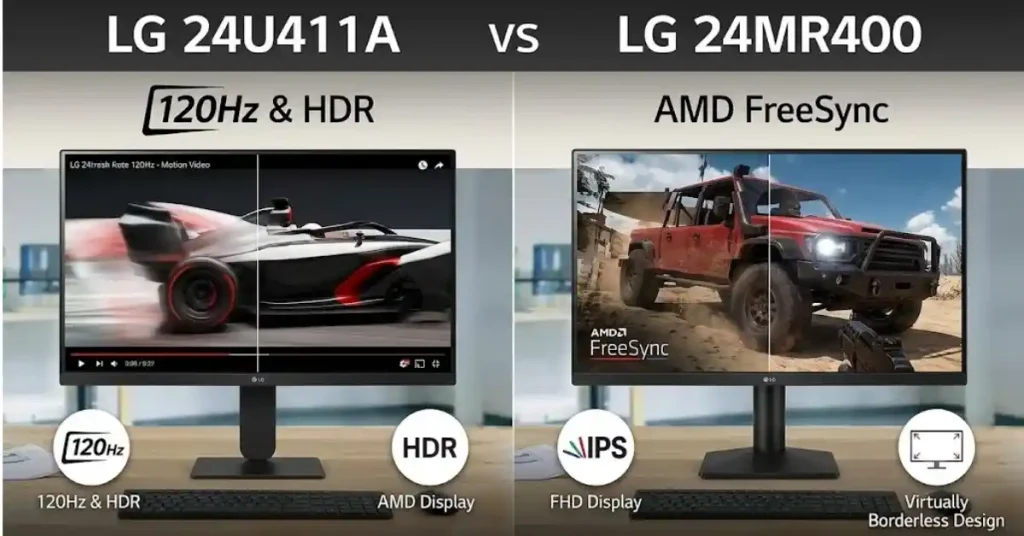
LG is one of the top makers of IPS display panels, and their budget screens show that expertise. The LG 24U411A / LG 24MR400 series gives you bright colors, wide 178-degree viewing angles, and a smooth 100Hz refresh rate.
It features slim borders, OnScreen Control software (letting you split your screen into multiple windows with a click), and Reader Mode (which makes the screen look softer like paper). It is a dependable choice for students and everyday office work.
- Screen Size & Resolution: 23.8-inch display with Full HD resolution (1920 × 1080 pixels).
- Panel Type: IPS
- Refresh Rate: 100Hz
- Connectivity: 1x HDMI, 1x D-Sub / DisplayPort (depends on model), Headphone Out
- Pros: True-to-life IPS colors, easy window-split software, anti-glare screen coating, neat stand.
- Cons: Only basic tilt adjustments; uses an external power brick.
5. Samsung Essential S3 (LS24D300) — Best High-Contrast Display for Media

The Samsung Essential S3 is made for people who spend a lot of time watching movies, streaming videos, or working in dimly lit rooms. Samsung tunes these panels for deep contrast, meaning dark scenes in videos show rich blacks instead of faded grays.
With a 100Hz refresh rate, AMD FreeSync, and Samsung’s game mode contrast settings, it offers a solid media experience backed by Samsung’s wide service network across India.
- Screen Size & Resolution: 24-inch Full HD (1920 × 1080)
- Panel Type: High-Contrast IPS / VA (varies by version)
- Refresh Rate: 100Hz
- Connectivity: 1x HDMI 1.4, 1x D-Sub (VGA)
- Pros: Deep blacks and high contrast, clean design, good service support in Tier-2 and Tier-3 Indian cities.
- Cons: No built-in speakers; only one HDMI port.
Buying Guide: What to Look For Under ₹10,000 in India
| Primary Focus | Recommended Monitor Specifications | Suggested Models | Best For |
|---|---|---|---|
| Gaming / All-Rounder | 144Hz–200Hz Fast IPS panel | Dell SE2425HG / Acer EK240Y P6 | Smooth gaming, fast motion and everyday use |
| Work / Study (8+ Hours) | IPS panel with eye-care features and auto-brightness (if supported) | BenQ GW2490C | Office work, reading and long study sessions |
| Tightest Budget | 23.8-inch IPS panel with a 100Hz refresh rate | Acer / LG entry-level series | Basic office work, browsing and everyday entertainment |
Buying tip: Under ₹10,000, prioritise an IPS panel, at least a 100Hz refresh rate and the ports you need. For gaming, a 144Hz or 200Hz monitor is a better choice if the price fits your budget.
1. Panel Technology: IPS vs. VA vs. TN
- IPS (In-Plane Switching): The top choice for 90% of buyers. It offers natural colors, wide viewing angles, and very clear text.
- VA (Vertical Alignment): Offers higher contrast (3000:1), making blacks look deeper in dark rooms. However, budget VA panels can sometimes show slight motion blur.
- TN (Twisted Nematic): Outdated tech for this budget. Avoid TN panels under ₹10,000 because modern IPS screens are much better at colors and match their speeds.
2. Refresh Rate
- 100Hz: The modern standard for basic office and study work. It is much smoother than older 60Hz or 75Hz screens when scrolling web pages or moving windows.
- 144Hz–200Hz: Best for gamers who play fast competitive games like VALORANT, CS2, or BGMI (on emulators), giving you fluid motion and clear visuals.
3. Screen Size and Sharpness
For a Full HD (1920 × 1080) screen, 23.8 inches (24 inches) is the sweet spot. At this screen size, text appears crisp and readable. Stretching Full HD to a 27-inch screen under ₹10,000 can make text look a bit pixelated when viewed up close.
4. Essential Ports
- HDMI: Standard port on all laptops and PCs. Make sure your monitor has at least HDMI 1.4 or newer.
- DisplayPort (DP): Great for desktop gaming PCs because it supports high refresh rates and adaptive sync smoothly.
- USB Type-C: A great extra feature in this budget (found on the BenQ GW2490C) that lets modern laptops connect using just one cable.
Indian Environmental & Practical Factors
Using electronics in Indian homes comes with a few real-world conditions that normal spec sheets ignore:
Room Lighting & Matte Anti-Glare Coatings
Indian homes often have bright overhead LED tube lights or open windows. Glossy screens act like mirrors in bright rooms. Choose monitors with a matte anti-glare screen to reduce reflections and improve viewing comfort, helping minimise eye strain.
Power Fluctuations & UPS Compatibility
Power cuts and voltage jumps happen in many parts of India. Modern monitors work fine on wide voltage ranges (100V–240V). Plugging your computer and monitor into a standard 600VA / 1100VA UPS protects your screen from sudden power surges.
Warranty and Service Support
- Dell & HP: Provide good doorstep pickup and replacement service across most Indian PIN codes during their 3-year warranty period.
- LG & Samsung: Have large service networks across major cities as well as Tier-2 and Tier-3 towns.
- Acer, BenQ, and MSI provide carry-in or courier-based warranty services in major cities and state capitals.
READ ALSO:-Best Tablets Under ₹50,000 in India (2026): Top Picks and Buying Guide
Frequently Asked Questions
Is a 24-inch monitors large enough for daily work and study?
Yes, a 23.8-inch to 24-inch monitor is the ideal size for a normal desk setup in India. It gives you enough space to open two windows side-by-side while keeping text sharp at Full HD resolution.
Can I run a 144Hz or 200Hz monitors using a standard laptop HDMI port?
Yes, most modern laptops with HDMI 1.4 or HDMI 2.0 ports can run Full HD at 120Hz, 144Hz, or higher. To reach higher refresh rates like 200Hz on the Dell SE2425HG, make sure your laptop supports HDMI 2.0/2.1 or use a USB-C to DisplayPort cable if your laptop supports video output via USB-C.
Do budget monitors come with HDMI cables in the box in India?
Yes, nearly all major brands sold in India (including Dell, Acer, LG, BenQ, and Samsung) include a standard HDMI cable and power adapter inside the box.
Can I connect a budget monitor to my laptop as a second screen?
Yes. Just plug one end of an HDMI cable into your laptop and the other into the monitor. In Windows, press Win + P and pick “Extend” to use the monitor as a second screen.
IPS vs VA Panel: An IPS panel is a better choice for office work, coding, and everyday use because it offers clear images and wide viewing angles. IPS screens offer wide viewing angles so text looks clear and consistent no matter how you sit in front of the screen.
Do budget monitors support VESA wall mounting?
Most monitors in this price range support standard VESA 100×100 mm or 75×75 mm wall mounts. This lets you remove the desk stand and attach the monitor to a wall mount or desk arm to save desk space.