
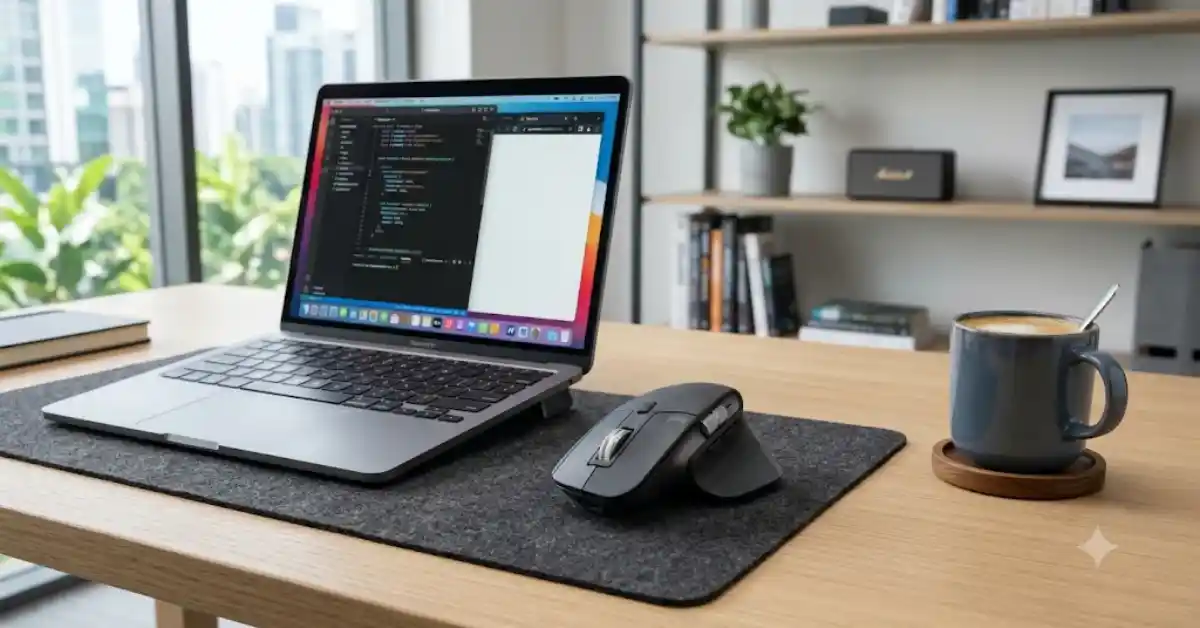
The Logitech MX Master 3S is the best overall wireless mouse for office work and productivity in India. It gives you very quiet clicks, super-fast scrolling, dual Bluetooth and USB connections for up to three devices, and an 8,000 DPI sensor that works even on glass desks.
If you want great value for under ₹3,000, choose the Logitech Signature M650. It offers comfortable support, quiet switches, and smart scrolling. If your wrists hurt from long hours of work, the Logitech Lift Vertical is the best ergonomic choice.
Key Takeaways
- Best Overall: Logitech MX Master 3S — Premium build, super-fast MagSpeed scroll, 70-day battery life, and works on glass surfaces.
- Best Value Mid-Range: Logitech Signature M650 — Silent clicks, available in left-handed and size options (Medium/Large), with long battery life.
- Best Ergonomic Pick: Logitech Lift Vertical — 57-degree vertical grip built for small-to-medium hands to ease forearm strain.
- Best Budget Option: Logitech B170 / M170 or Portronics Toad 13 — Reliable entry-level wireless connectivity under ₹800.
- Dual Connectivity Matters: Choose a dual-mode mouse (Bluetooth + 2.4GHz USB receiver) if you switch between an office Windows laptop and a personal MacBook or iPad.
Comparison of Top Wireless Mice for Work in India
| Model | Primary Highlight | Connectivity | Battery Type | Approx. Price (INR) |
|---|---|---|---|---|
| Logitech MX Master 3S | Super-fast scroll wheel, silent clicks and glass tracking | Bluetooth + Logi Bolt USB | USB-C Rechargeable (up to 70 days) | ₹8,995–₹9,995 |
| Logitech Lift Vertical | 57° ergonomic handshake grip | Bluetooth + Logi Bolt USB | 1 × AA (up to 24 months) | ₹5,495–₹6,295 |
| Logitech Signature M650 | Custom size options and SmartWheel scrolling | Bluetooth + Logi Bolt USB | 1 × AA (up to 24 months) | ₹2,795–₹3,295 |
| Dell MS5320W | 3-device switching and long battery life | Bluetooth 5.0 + 2.4GHz USB | 1 × AA (up to 36 months) | ₹3,499–₹3,999 |
| HP 435 Multi-Device | Programmable buttons and multi-OS support | Bluetooth + 2.4GHz USB | 2 × AAA (up to 24 months) | ₹2,199–₹2,599 |
| Portronics Advanced Vertical | Budget-friendly vertical ergonomic design | 2.4GHz Wireless | 2 × AAA / Rechargeable (variant-dependent) | ₹799–₹1,199 |
| Logitech B170 / M170 | Plug-and-play budget reliability | 2.4GHz USB Dongle | 1 × AA (up to 12 months) | ₹599–₹799 |
Top Wireless Mice for Office & Productivity Reviewed
1. Logitech MX Master 3S — Best Overall Productivity Mouse
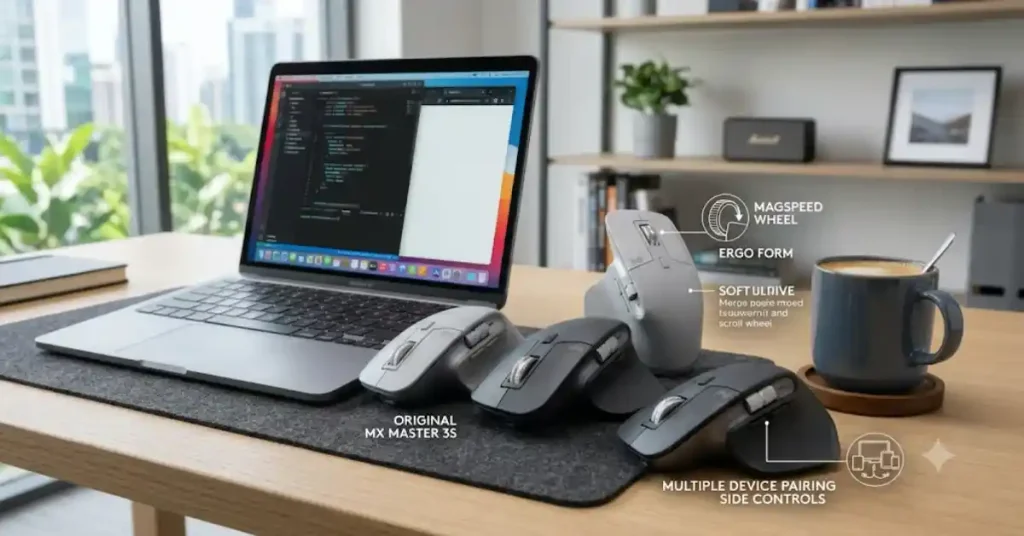
The Logitech MX Master 3S is the top choice for office power users, software developers, financial analysts, and content creators.
Key Features
- 8,000 DPI Sensor: Tracks on almost any surface, including glass.
- MagSpeed Scroll Wheel: Offers ultra-fast scrolling with high precision.
- Quiet Clicks: 90% quieter clicks for a distraction-free workspace.
- Ergonomic Design: Comfortable shape supports long working hours.
- Customisable Buttons: Programmable buttons improve productivity.
- Multi-Device Connectivity: Connects with up to 3 devices using Bluetooth or Logi Bolt USB receiver.
- USB-C Charging: Rechargeable battery lasts up to 70 days on a full charge.
- Logi Options+ Support: Customise buttons and shortcuts for different applications.
Best For: Professionals, programmers, designers and users who spend long hours working on a computer.
2. Logitech Signature M650 — Best Value for Daily Work

The Signature M650 brings high-end features down to a mid-range price.
Key Features
- SmartWheel Scrolling: Switches between precise and fast scrolling modes.
- SilentTouch Technology: Reduces clicking noise for a quieter workspace.
- Ergonomic Design: Comfortable shape supports everyday office work.
- Custom Size Options: Available in standard and large sizes.
- Side Buttons: Back and forward buttons improve navigation.
- Dual Connectivity: Supports Bluetooth Low Energy and Logi Bolt USB receiver.
- Long Battery Life: Up to 24 months with one AA battery.
- Customisable Buttons: Personalise shortcuts using Logi Options+ software.
Best For: Office professionals, students and everyday users looking for a comfortable, quiet and reliable wireless mouse.
3. Logitech Lift Vertical Ergonomic — Best for Wrist & Forearm Pain

If your wrists ache or feel tight from using a flat mouse, a vertical mouse can give you quick relief.
Key Features
- 57° Vertical Design: Natural handshake position helps reduce wrist twisting.
- Ergonomic Grip: Comfortable shape supports long working hours.
- Quiet Clicks: SilentTouch technology reduces clicking noise.
- 4 Customisable Buttons: Set shortcuts for frequently used tasks.
- SmartWheel Scrolling: Provides smooth and precise scrolling.
- Dual Connectivity: Supports Bluetooth Low Energy and Logi Bolt USB receiver.
- Multi-Device Support: Connect and switch between up to 3 devices.
- Long Battery Life: Runs for up to 24 months using one AA battery.
- Logi Options+ Support: Customise buttons and settings for better productivity.
Best For: Office professionals and users who prefer a vertical mouse for a more natural wrist position during long working sessions.
4. Dell MS5320W Multi-Device Wireless Mouse — Best Corporate Workhorse

The Dell MS5320W is built specifically for office professionals who use two laptops at once.
Key Features
- Multi-Device Connectivity: Connects to up to 3 devices simultaneously.
- Dual Wireless Connection: Supports Bluetooth 5.0 and 2.4GHz USB receiver.
- Easy Device Switching: Quickly switch between connected computers.
- Adjustable DPI: Offers multiple DPI settings for precise cursor control.
- Programmable Buttons: Customise buttons for frequently used tasks.
- Long Battery Life: Up to 36 months of battery life with one AA battery (manufacturer claim).
- Comfortable Design: Ergonomic shape suitable for everyday office use.
- Wide Compatibility: Works with Windows, macOS, Linux, ChromeOS and Android.
Best For: Professionals who work across multiple laptops or computers and need reliable wireless connectivity with easy device switching.
5. Logitech B170 / M170 — Best Ultra-Budget Choice
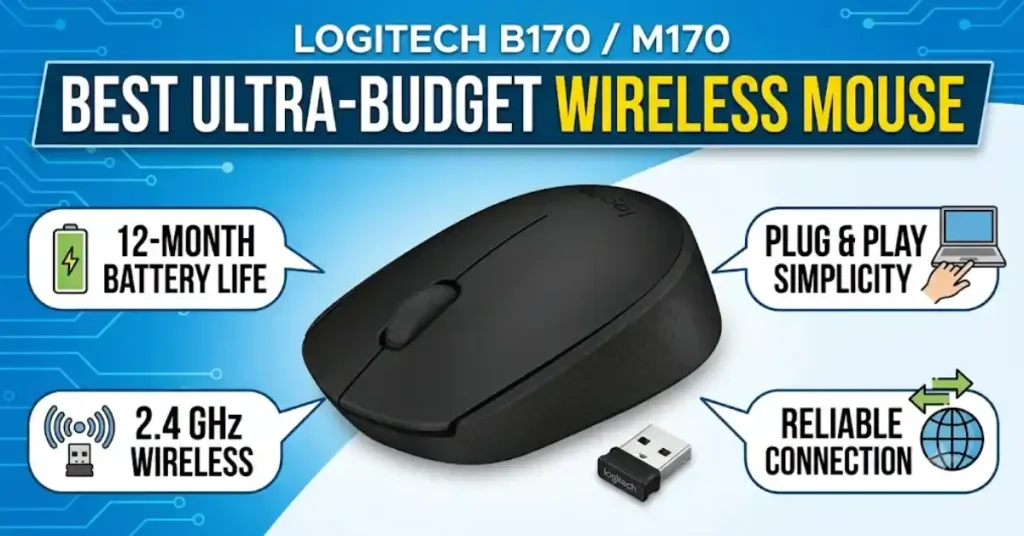
If you need a simple mouse for web browsing, online classes, or basic office tasks on a tight budget, the Logitech B170 is India’s top-selling entry-level model.
Key Features
- 2.4GHz Wireless Connectivity: Provides a reliable wireless connection up to 10 metres.
- Plug-and-Play Setup: Works with a USB nano receiver without installing additional software.
- Optical Tracking: Offers smooth and accurate cursor control for everyday tasks.
- Comfortable Design: Ambidextrous shape suitable for both left- and right-handed users.
- 3 Buttons: Includes left-click, right-click and a scroll wheel.
- Long Battery Life: Up to 12 months with one AA battery (manufacturer claim).
- Wide Compatibility: Works with Windows, macOS, Linux and ChromeOS.
- Compact and Lightweight: Easy to carry with a laptop for travel or office use.
Best For: Students, home users and office workers looking for an affordable, simple and reliable wireless mouse.
Essential Buyer’s Guide: Choosing the Right Office Mouse
1. Connectivity: Bluetooth vs. 2.4GHz USB Dongle
2.4GHz USB Dongle: Gives you a fast, reliable connection right out of the box. However, modern thin laptops (like MacBooks) do not have regular USB-A ports, so you may need a Type-C adapter.
Bluetooth: Connects directly to laptops, tablets, and computers without using up a USB port.
Dual-Mode (Best): Mice that support both let you switch between work devices with the press of a button.
2. Ergonomics & Hand Size Matching
Using a mouse that does not fit your hand forces your fingers into awkward angles and strains your joints.
Hand Length (Wrist Crease to Tip of Middle Finger):
– Under 17.5 cm (Small) —> Logitech Lift, Logitech MX Anywhere 3S, Pebble M350
– 17.5 cm – 19 cm (Medium) —> Logitech Signature M650, Dell MS5320W
– Over 19 cm (Large) —> Logitech MX Master 3S, Signature M650 L
3. Battery Type: Rechargeable USB-C vs. AA/AAA Batteries
Rechargeable (USB-C): Convenient and easy to plug in. A full charge usually lasts 30 to 70 days.
Replaceable AA/AAA: Lasts a very long time—from 12 to 36 months—so you never have to worry about charging it often.
4. Silent Switches & Custom Shortcut Buttons
Loud clicking sounds can distract people in shared offices or quiet homes. Look for mice with soft, quiet switches (like Logitech SilentTouch). Programmable thumb buttons can also be set to do tasks like Copy/Paste, Go Back/Forward, or Mute/Unmute on video calls to save time.
Common Problems & Troubleshooting
1.Mouse Cursor Stuttering on Smooth or Glass Desks
Cause: Normal red optical sensors have trouble tracking on shiny surfaces, polished marble, or clear glass.
Solution:
- Use a good-quality mouse pad with a non-reflective surface.
- Avoid using the mouse directly on transparent glass or highly polished desks.
- Clean the sensor area underneath the mouse to remove dust and dirt.
- Consider a mouse with a sensor designed for tracking on glass, such as the Logitech MX Master 3S or MX Anywhere 3S.
Buying Tip: If you frequently work on different desk surfaces, choose a mouse with advanced tracking technology rather than focusing only on DPI.
2.Bluetooth Disconnections in Dense Wi-Fi Environments
Cause: 2.4GHz Wi-Fi signals from nearby routers can sometimes interfere with Bluetooth connections.
Solution:
- Use the included 2.4GHz USB receiver if your mouse supports it.
- For compatible Logitech models, use a Logi Bolt receiver.
- Keep the mouse within a reasonable distance of the computer.
- Avoid placing the receiver behind metal objects or inside a crowded USB hub.
- Keep Bluetooth and wireless drivers updated.
- Move nearby Wi-Fi devices to the 5GHz or 6GHz band if supported by your router.
Buying Tip: For office environments with several computers and wireless devices, a mouse with both Bluetooth and USB receiver connectivity offers greater flexibility.
3.Wireless Mouse Lag or Delayed Cursor Movement
Cause:
- Low battery or insufficient charge.
- Wireless receiver placed too far from the mouse.
- Interference from nearby wireless devices.
- Incorrect pointer speed settings.
- Outdated mouse or Bluetooth drivers.
Solution:
- Replace the battery or fully charge the mouse.
- Move the USB receiver closer to the mouse.
- Adjust pointer speed in Windows or macOS settings.
- Close unnecessary background applications if the computer itself is running slowly.
- Update your computer’s Bluetooth and USB drivers.
Buying Tip: Choose a wireless mouse with a reliable connection and adjustable DPI settings. A higher DPI is not always better; choose a sensitivity that feels comfortable for your screen size and work.
4. Wireless Mouse Battery Draining Too Quickly
Cause:
- Mouse is left switched on when not in use.
- Heavy daily usage.
- Battery quality is poor.
- RGB lighting or additional features consume more power.
- Rechargeable battery capacity has reduced over time.
Solution:
- Switch off the mouse when you finish working.
- Use good-quality batteries from a reliable brand.
- Disable unnecessary lighting effects if supported.
- Recharge the mouse before the battery becomes completely empty.
- Check battery health if the mouse has a built-in rechargeable battery.
Buying Tip: If you work for long hours, choose a mouse with good battery life and a convenient charging system. Also check whether it uses replaceable AA/AAA batteries or a built-in rechargeable battery.
READ ALSOP:-Best Smart Door Locks for Indian Homes (2026 Buying Guide)
10. Frequently Asked Questions
Q1. Which wireless mouse is best for long working hours in India?
For long work sessions of 8 hours or more, ergonomic mice like the Logitech MX Master 3S (for a normal palm grip) or the Logitech Lift (for a vertical handshake grip) are best. They support your hand properly and reduce muscle fatigue in your wrist.
Q2. Is Bluetooth better than a 2.4GHz USB receiver for office work?
Both have their perks. Bluetooth saves your laptop ports and connects easily to MacBooks and tablets. A 2.4GHz USB receiver gives you an instant connection that even works during computer setup screens. Dual-mode mice give you both options.
Q3. How long does a wireless mouse battery last?
Mice that use AA or AAA batteries usually last between 12 to 36 months on one battery. Rechargeable mice usually last 30 to 70 days on a single USB-C charge.
Q4. Are silent mice durable for daily productivity?
Yes. Modern silent mice use strong, dampened switches built to handle millions of clicks. They make up to 90% less noise while still feeling great to click.
Q5. Can one wireless mouse work on two laptops simultaneously?
Yes. Multi-device mice (like the Logitech MX Master 3S, Logitech M720, or Dell MS5320W) have buttons that let you switch control between multiple connected laptops easily.
Q6. Are vertical mice hard to get used to?
Most people get used to a vertical mouse within 3 to 7 days. Precise work might feel a bit strange at first, but saving your wrist from pain makes the short adjustment period worth it.