
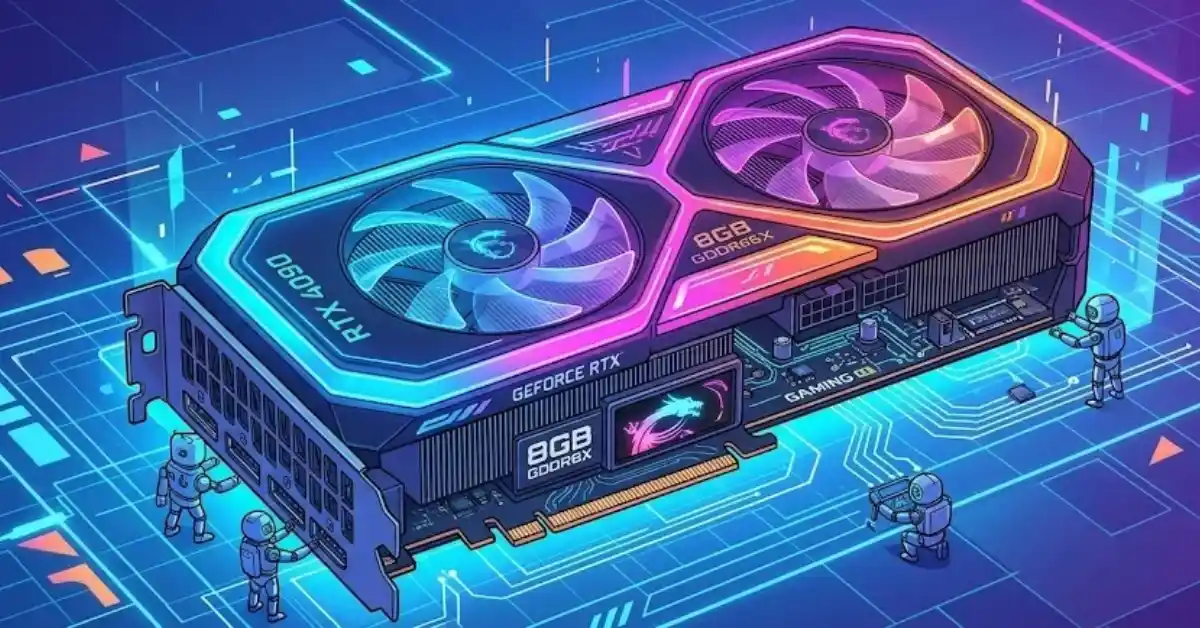
The NVIDIA GeForce RTX 4060 8GB (priced between ₹28,500 and ₹29,800) is the best overall graphics card under ₹30,000 in India for most buyers. It gives you smooth 1080p performance, support for DLSS 3 Frame Generation, low power use (115W TDP), and great speed for video editing and 3D rendering.
If you want pure gaming Graphics value at 1080p without spending extra, the AMD Radeon RX 7600 8GB (priced around ₹24,500 to ₹26,000) is a solid choice. If your work or games need more VRAM for heavy textures, 3D modeling, or DaVinci Resolve, check out the NVIDIA GeForce RTX 3060 12GB (priced around ₹25,500 to ₹26,800).
Key Takeaways
- Target Resolution: Graphics cards under ₹30,000 are made mainly for 1080p Ultra gaming at high refresh rates (100–144+ FPS). You can also play at 1440p in some games by using upscaling tech like DLSS or FSR.
- VRAM Reality: 8GB VRAM is enough for most 1080p Graphics games if you adjust your texture settings. However, heavy ray tracing or unoptimized game textures run better with 12GB or more.
- Power Requirements: Modern GPUs in this budget need a good 500W to 650W 80 PLUS Bronze or Gold power supply.
- Ecosystem Advantages: NVIDIA CUDA cores and NVENC encoders make apps like Premiere Pro, DaVinci Resolve, Blender, and OBS streaming run much smoother.
Comparison Table: Top GPUs Under ₹30,000 in India
| GPU Model | Average Street Price | VRAM / Memory Bus | Power Draw (TDP) | Primary Use Case | Recommended PSU |
|---|---|---|---|---|---|
| NVIDIA GeForce RTX 4060 8GB | ₹28,500–₹29,800 | 8GB GDDR6 / 128-bit | 115W | Best Overall, 1080p High FPS, DLSS 3, Video Editing | 550W 80+ Bronze |
| AMD Radeon RX 7600 8GB | ₹24,500–₹26,000 | 8GB GDDR6 / 128-bit | 165W | Best Pure 1080p Gaming Value | 550W 80+ Bronze |
| NVIDIA GeForce RTX 3060 12GB | ₹25,500–₹26,800 | 12GB GDDR6 / 192-bit | 170W | Best for VRAM-Intensive Tasks & 3D Rendering | 550W 80+ Bronze |
| Intel Arc B580 / A770 16GB | ₹26,000–₹28,500 | 16GB GDDR6 / 256-bit | 190W–225W | High-VRAM Budget Pick, AV1 & Modern APIs | 650W 80+ Bronze |
Detailed Analysis of Top Graphics Cards
1. NVIDIA GeForce RTX 4060 8GB – Best Overall GPU Under ₹30,000
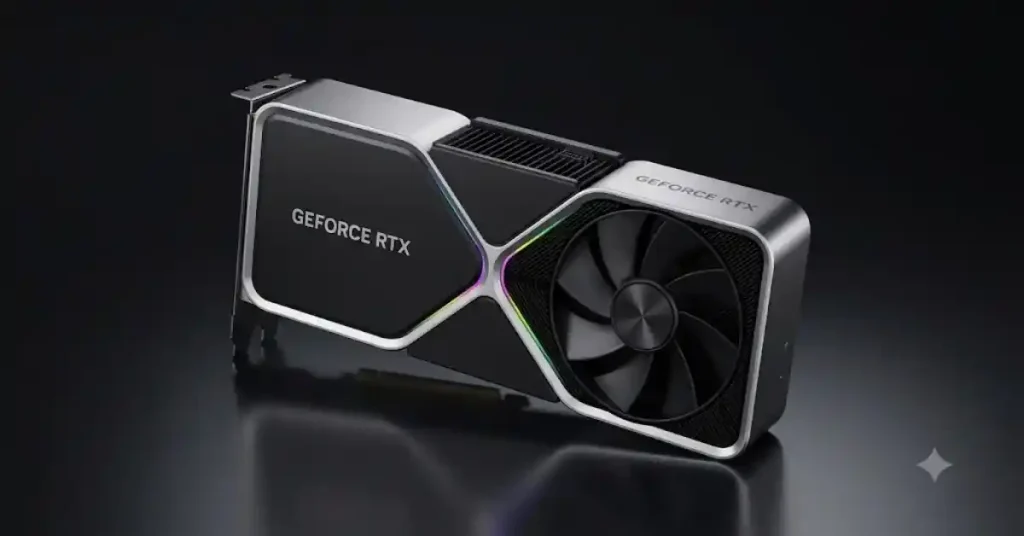
The NVIDIA GeForce RTX 4060 8GB uses the Ada Lovelace architecture. It gives you efficient performance for 1080p gaming and creative work.
Key Features of NVIDIA GeForce RTX 4060 8GB
- Ada Lovelace Architecture: Delivers excellent Graphics performance with improved power efficiency.
- 8GB GDDR6 VRAM: Provides enough memory for most modern 1080p games.
- DLSS 3 with Frame Generation: Boosts gaming FPS using AI-powered frame generation.
- Ray Tracing Support: Produces realistic lighting, reflections and shadows in supported games.
- NVIDIA Reflex: Reduces system latency for smoother and more responsive gaming.
- 4th-Gen Tensor Cores: Accelerates AI-powered features and creative applications.
- 3rd-Gen RT Cores: Improves ray-tracing performance compared with previous generations.
- AV1 Encoding: Supports high-quality video streaming and recording with better compression.
- NVIDIA Studio Support: Helps with video editing, 3D rendering and other creative workloads.
- Low Power Consumption: Its 115W TGP makes it suitable for gaming PCs with a quality 550W PSU.
Best For: 1080p high-FPS gaming, esports titles, ray tracing, video editing, live streaming, and AI-powered creative applications.
2. AMD Radeon RX 7600 8GB – Best Pure 1080p Gaming Value
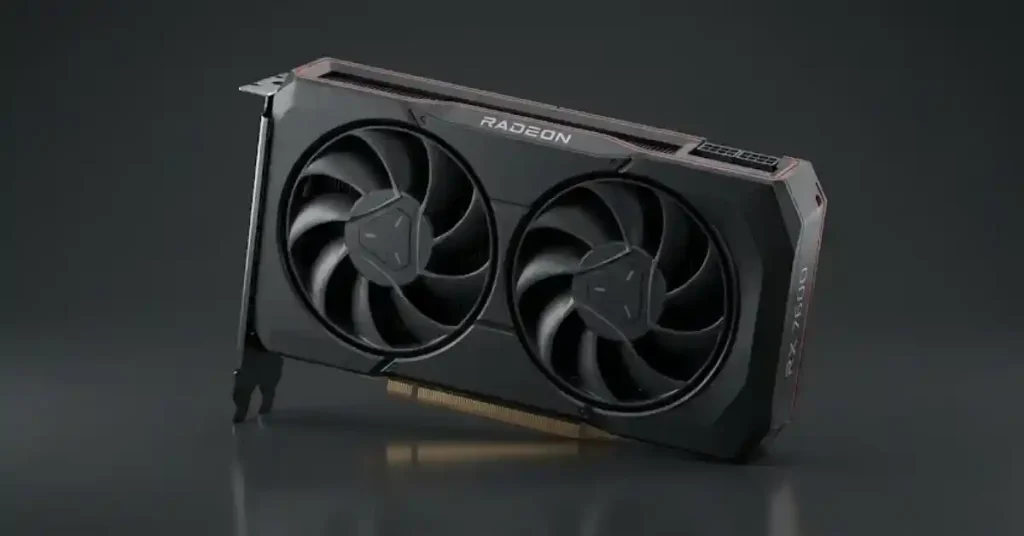
The AMD Radeon RX 7600 8GB uses the RDNA 3 architecture. It offers great 1080p gaming speed at a lower price than NVIDIA cards.
Key Features of AMD Radeon RX 7600 8GB
- RDNA 3 Architecture: Delivers powerful 1080p gaming performance with improved graphics efficiency.
- 8GB GDDR6 Memory: Handles modern games smoothly at Full HD resolution.
- High Boost Clock: Reaches boost speeds of up to 2.65 GHz for responsive gaming performance.
- AMD FSR Technology: Uses AI and advanced upscaling techniques in supported versions to improve gaming performance.
- Ray Tracing Support: Adds realistic lighting, shadows and reflections in compatible games.
- AMD HYPR-RX: Combines supported AMD technologies to improve gaming performance and responsiveness.
- Smart Access Memory: Can improve performance when paired with compatible AMD Ryzen processors.
- AV1 Encoding: Supports efficient video recording and streaming.
- PCIe 4.0 Support: Provides modern connectivity with compatible motherboards.
- 165W Power Consumption: Offers good gaming performance without requiring an extremely powerful power supply.
Best For: 1080p AAA gaming, esports, high-refresh-rate gaming, and budget-friendly gaming PC builds.
3. NVIDIA GeForce RTX 3060 12GB – Best for VRAM-Intensive Workloads
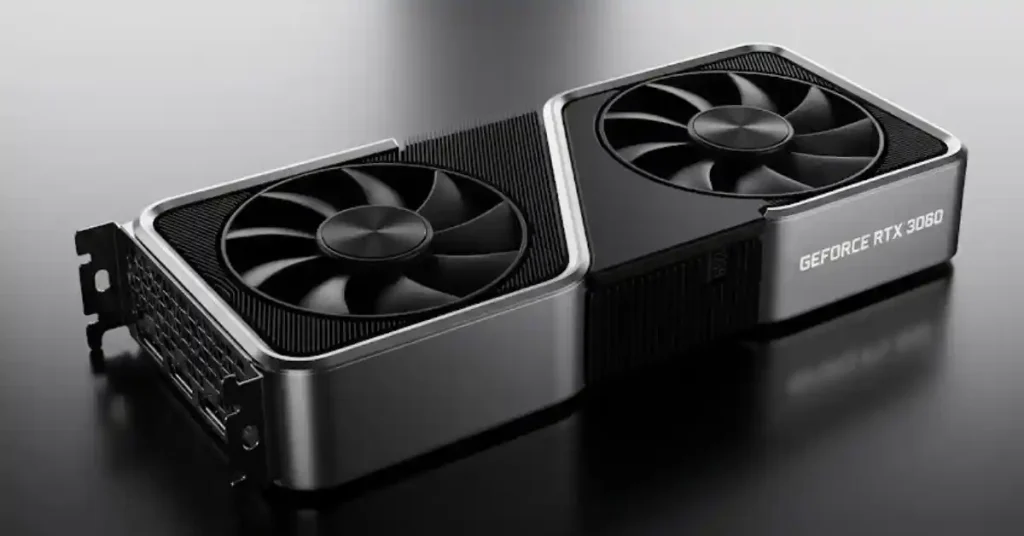
The RTX 3060 12GB is based on the older Ampere architecture, but it remains popular in India because of its large 12GB VRAM buffer.
Key Features of NVIDIA GeForce RTX 3060 12GB
- Ampere Architecture: Delivers reliable gaming Graphics and creative performance with NVIDIA’s proven GPU architecture.
- 12GB GDDR6 VRAM: Provides extra memory for high-resolution textures, 3D projects and demanding creative applications.
- 192-bit Memory Bus: Offers higher memory bandwidth for handling graphics-intensive workloads.
- 2nd-Gen Ray Tracing Cores: Supports realistic lighting, shadows and reflections in compatible games.
- 3rd-Gen Tensor Cores: Accelerates AI-powered features and supported creative workloads.
- DLSS Support: Uses AI-powered upscaling to improve gaming performance in supported titles.
- NVIDIA Studio Drivers: Provides optimised Graphics performance and stability for video editing, 3D rendering and design applications.
- CUDA Core Support: Works with popular GPU-accelerated applications such as Blender, Adobe Premiere Pro and other creative tools.
- NVENC Encoder: Supports efficient video recording, streaming and content creation.
- 170W Power Consumption: Offers a reasonable power requirement for a GPU with 12GB VRAM.
Best For: 3D rendering, Blender projects, video editing, AI workloads, high-texture gaming and applications that benefit from larger VRAM capacity.
4. Intel Arc B580 / A770 16GB – Alternative High-VRAM Option
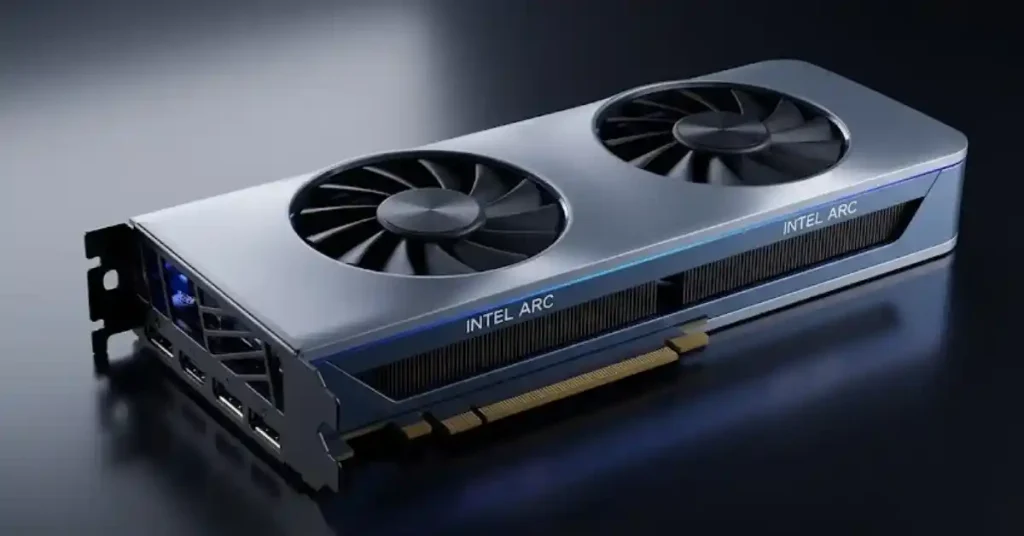
Intel’s graphics cards offer large VRAM capacity and great AV1 media processing for this budget.
Key Features of Intel Arc B580 / A770 16GB
- Intel Xe2 / Xe Architecture: The Arc B580 uses the newer Xe2 architecture, while the A770 is based on the first-generation Xe architecture.
- 16GB GDDR6 VRAM: Offers generous memory capacity for modern games, high-resolution textures and creative workloads.
- 256-bit Memory Bus: Provides higher memory bandwidth for graphics-intensive applications.
- Intel XeSS Upscaling: Uses AI-powered upscaling to improve gaming performance while maintaining image quality in supported games.
- Ray Tracing Support: Supports hardware-accelerated ray tracing for realistic lighting and reflections.
- AV1 Hardware Encoding: Delivers efficient video encoding for streaming, recording and content creation.
- Intel Deep Link Technology: Helps compatible Intel CPUs and Arc GPUs work together in supported applications.
- DirectX 12 Ultimate Support: Supports modern Graphics gaming technologies and graphics features.
- AI Acceleration: Provides AI processing capabilities through Intel XMX engines on supported models and applications.
- Resizable BAR Support: Helps improve GPU performance when paired with a compatible processor and motherboard.
Best For: High-VRAM gaming, video editing, AV1 encoding, content creation, 3D workloads and budget-conscious users who need more graphics memory.
Workload Breakdown: Which GPU Fits Your Needs?
| Workload / Use Case | Recommended GPU |
|---|---|
| Pure 1080p Gaming | AMD Radeon RX 7600 8GB |
| Gaming + DLSS 3 | NVIDIA GeForce RTX 4060 8GB |
| Video Editing (CUDA) | NVIDIA GeForce RTX 4060 or RTX 3060 12GB |
| 3D Rendering, AI & Large Textures | NVIDIA GeForce RTX 3060 12GB or Intel Arc 16GB |
Buying Tip: Choose the RTX 4060 for an all-round gaming and editing PC, the RX 7600 for affordable 1080p gaming, or a 12GB/16GB GPU for workloads that need more VRAM.
Technical Considerations for Indian PC Builders
1. Power Supply (PSU) Requirements
When using these GPUs with standard CPUs (like the Intel Core i5-12400F, i5-13400F, or AMD Ryzen 5 5600 / 7600):
- RTX 4060 (115W): A good 500W to 550W 80 PLUS Bronze PSU is enough.
- RX 7600 / RTX 3060 (165W–170W): A 550W to 650W 80 PLUS Bronze PSU is recommended.
- Good brands in India: Cooler Master (MWE series), Corsair (CV/CX series), Deepcool (PK/PM series), Antec.
2. Cabinet Clearance & Ambient Thermals
Indian summers bring high room temperatures (often 35°C to 45°C).
- Make sure your PC cabinet has a mesh front panel with at least 2 intake fans and 1 exhaust fan.
- Compact dual-fan GPUs (like Zotac Twin Edge, ASUS Dual, or MSI Ventus 2X) fit easily in most standard MATX and ATX cabinets.
3. Motherboard PCIe Bandwidth (PCIe 3.0 vs 4.0)
The RTX 4060 and RX 7600 use a PCIe 4.0 x8 connection instead of a full x16 connection.
- If you use them on an older PCIe 3.0 motherboard (like B450 or B460), you will only lose a tiny bit of speed (1% to 5%) in most games.
- However, if a game uses more than 8GB of VRAM, running on PCIe 3.0 can cause small stutters because data moves a bit slower.
Indian Warranty & After-Sales Service Overview
| GPU Brand | Official Indian Distributor / Service Partner | Typical Warranty Period | RMA Experience & Presence in India |
| Zotac | Supertron Electronics / Kaizen | 3 Years (+ 2 Years Extended upon online registration within 28 days) | Excellent coverage with service centers in Tier-1 and Tier-2 Indian cities. |
| ASUS | Acro Engineering / Rashi Peripherals | 3 Years | Reliable repair support across major Indian metros. |
| MSI | Kaizen Infoserve | 3 Years | Good service coverage through Kaizen centers. |
| Gigabyte | Accel OEM / Gigabyte India | 3 Years | Dedicated service centers in major Indian cities. |
| AsRock | Supertron / Techzone | 3 Years | Decent support handled through authorized distributors. |
READ ALSO:-Best Tablets Under ₹50,000 in India (2026): Top Picks and Buying Guide
Frequently Asked Questions
1. Is 8GB VRAM enough for gaming in 2026?
Yes, 8GB VRAM is enough for 1080p gaming at High to Ultra settings in most new games. However, if you play at 1440p or use very heavy texture mods, you may need to lower some settings to stay within the 8GB limit.
2. Which GPU under ₹30,000 is best for video editing in Premiere Pro and DaVinci Resolve?
NVIDIA graphics cards are better for video editing because of CUDA acceleration and NVENC encoders. The RTX 4060 8GB (for fast hardware encoding) and the RTX 3060 12GB (for handling heavy 4K timelines and effects) are great choices.
3. Can a graphics card under ₹30,000 run games at 1440p resolution?
Yes, cards like the RTX 4060 and RX 7600 can handle 1440p in lighter esports games or bigger games if you turn on upscaling like DLSS or FSR (set to Quality mode). For smooth native 1440p Ultra gaming in heavy new games, you would need a more expensive card like the RTX 4070 or RX 7700 XT.
4. Is the RTX 4060 better than the RX 7600?
The RTX 4060 uses less power, handles Ray Tracing better, supports DLSS 3 Frame Generation, and runs creator apps faster. The RX 7600 costs less and gives you great regular 1080p gaming performance for the price.
5. What power supply (PSU) do I need for an RTX 4060 PC build in India?
A 500W to 550W 80 PLUS Bronze certified PSU from a trusted brand (like Cooler Master, Corsair, or Deepcool) is enough for an RTX 4060 with a normal processor.
6. Where should I buy graphics cards in India to ensure a valid warranty?
To keep your warranty safe, buy from trusted Indian stores and websites like MDComputers, Vedant Computers, PrimeABGB, EliteHubs, Clarion Computers, or official brand stores on Amazon India. Always keep your official GST invoice for warranty registration.
7. Does Zotac offer a 5-year warranty in India?
Yes, Zotac gives you a 3-year standard warranty plus an extra 2 years (making it 5 years total) if you register your card on their official website within 28 days of buying it with a valid Indian GST invoice.
8. Is an older graphics card like the GTX 1650 or RTX 3050 worth buying above ₹20,000?
No. Cards like the GTX 1650 or RTX 3050 are quite old now. Around the ₹20,000 to ₹30,000 range, newer cards like the RX 6600, RX 7600, or RTX 4060 give you much better speed and features.