
Choosing the right processor (CPU) for a new PC build or laptop in 2026 can feel confusing. Intel has launched its Core Ultra Series 2 chips, and AMD has expanded its Zen 5 desktop processors and Ryzen AI laptop chips. Because of this, the naming styles have changed a lot.
Whether you are building a custom gaming PC in Delhi, buying a video editing laptop in Bengaluru, or setting up budget office computers, this guide breaks down the best laptop and PC processors you can buy in India today.
Quick Answer: Top Recommended Processors at a Glance
| Category / Use Case | Recommended Desktop CPU | Recommended Laptop CPU Tier | Estimated Price in India |
|---|---|---|---|
| Ultimate Gaming | AMD Ryzen 7 9800X3D / Ryzen 9 9950X3D | AMD Ryzen 9 HX / Intel Core Ultra 9 HX | ₹45,000–₹67,000 (desktop CPU) |
| Content Creation / 3D | Intel Core Ultra 7 270K Plus / AMD Ryzen 9 9900X | Intel Core Ultra 9 HX / AMD Ryzen 9 | ₹38,000–₹41,000 (desktop CPU) |
| Best Value Mid-Range | AMD Ryzen 5 7600 / Intel Core i5-14400F | Intel Core Ultra 7 / AMD Ryzen 7 AI | ₹16,000–₹19,000 (desktop CPU) |
| Entry-Level Budget Build | Intel Core i3-14100F / AMD Ryzen 5 5600GT | Intel Core i5 / AMD Ryzen 5 | ₹11,000–₹15,000 (desktop CPU) |
Key Takeaways
- Gaming Performance: AMD’s 3D V-Cache processors (such as the Ryzen 7 9800X3D and Ryzen 9 9950X3D) are the best choices for desktop gaming because they have a very large L3 cache.
- Multitasking & Workstations: Intel’s Core Ultra Series 2 (Arrow Lake) desktop chips offer high efficiency across multiple cores, making them great for heavy video rendering, CAD software, and large data tasks.
- Laptop AI Shift: Modern laptop processors now include Neural Processing Units (NPUs). These are specialized chips that deliver over 40 TOPS (Trillions of Operations Per Second), helping run built-in AI features in Windows 11 and creative apps smoothly.
- Platform Longevity: AMD’s AM5 socket will be supported through 2027 and beyond, giving you an easy upgrade path later. Older LGA 1700 or AM4 platforms cost less upfront, but you cannot upgrade their CPUs easily in the future.
- Indian Cooling Realities: Summer temperatures in India often run very high. Because of this, mid-to-high-tier desktop processors need strong aftermarket cooling, like dual-tower air coolers or 240mm/360mm AIO liquid coolers.
Decoding CPU Naming Conventions in 2026
Before buying a processor, it helps to understand how Intel and AMD name their chips. The table below explains the naming schemes with desktop and laptop examples.
| Processor Brand | Naming Scheme | Desktop Example | Laptop Example |
|---|---|---|---|
| Intel | Brand + Tier + Generation/Series + Model + Suffix | Intel Core Ultra 7 270K Plus | Intel Core Ultra 9 288V / Core Ultra 9 290HX |
| AMD | Brand + Family + Model Number + Suffix | AMD Ryzen 7 9800X3D | AMD Ryzen AI 9 HX 370 |
Quick tip: Intel and AMD use suffixes to indicate specific features or product categories. For example, Intel’s HX generally identifies high-performance laptop processors, while AMD’s X3D identifies desktop processors with additional 3D V-Cache technology for gaming.
Desktop CPU Suffixes
- K / Plus (Intel): Unlocked for overclocking, meaning you can push them to run faster.
- F (Intel): Does not have built-in graphics, so you must use a separate graphics card.
- X3D (AMD): Features 3D V-Cache technology built to give you the highest gaming frame rates.
- X (AMD): High-speed desktop processors tuned for performance right out of the box.
- G / GT (AMD): Includes built-in Radeon graphics, letting you play light games without buying a separate graphics card.
Laptop CPU Suffixes
- HX: High-power mobile chips (45W–55W+) built for heavy gaming laptops and professional workstations.
- H / HS: Balanced high-performance chips (28W–45W) for thin gaming and creator laptops.
- U: Low-power chips (15W–28W) designed for thin laptops that focus on long battery life.
Desktop CPU Suffixes
- K / Plus (Intel): Unlocked for overclocking, meaning you can push them to run faster.
- F (Intel): Does not have built-in graphics, so you must use a separate graphics card.
- X3D (AMD): Features 3D V-Cache technology built to give you the highest gaming frame rates.
- X (AMD): High-speed desktop processors tuned for performance right out of the box.
- G / GT (AMD): Includes built-in Radeon graphics, letting you play light games without buying a separate graphics card.
- Laptop CPU Suffixes
- HX: High-power mobile chips (45W–55W+) built for heavy gaming laptops and professional workstations.
- H / HS: Balanced high-performance chips (28W–45W) for thin gaming and creator laptops.
- U: Low-power chips (15W–28W) designed for thin laptops that focus on long battery life.
Best Desktop Processors for PC Builds in India
1. Best Overall CPU for Gaming: AMD Ryzen 7 9800X3D / Ryzen 9 9950X3D

- Socket: AM5 | Cores/Threads: 8c/16t (9800X3D) or 16c/32t (9950X3D) | Architecture: Zen 5
- Estimated Price in India: ₹45,000 – ₹67,000
- If you want smooth, high-speed gaming in fast esports games (like Valorant and CS2) or heavy open-world games (like Black Myth: Wukong and Cyberpunk 2077), AMD’s 3D V-Cache chips are the top choice.
- Why it stands out: The large stacked L3 cache cuts down memory lag so games run smoother.
- Best for: Hardcore gamers and streamers using high-refresh-rate monitors (240Hz and above).
- Cooling requirement: A good 240mm or 360mm liquid cooler is recommended to handle Indian summer room temperatures.
2. Best Desktop Processor for Content Creation and Workstations: Intel Core Ultra 7 270K Plus
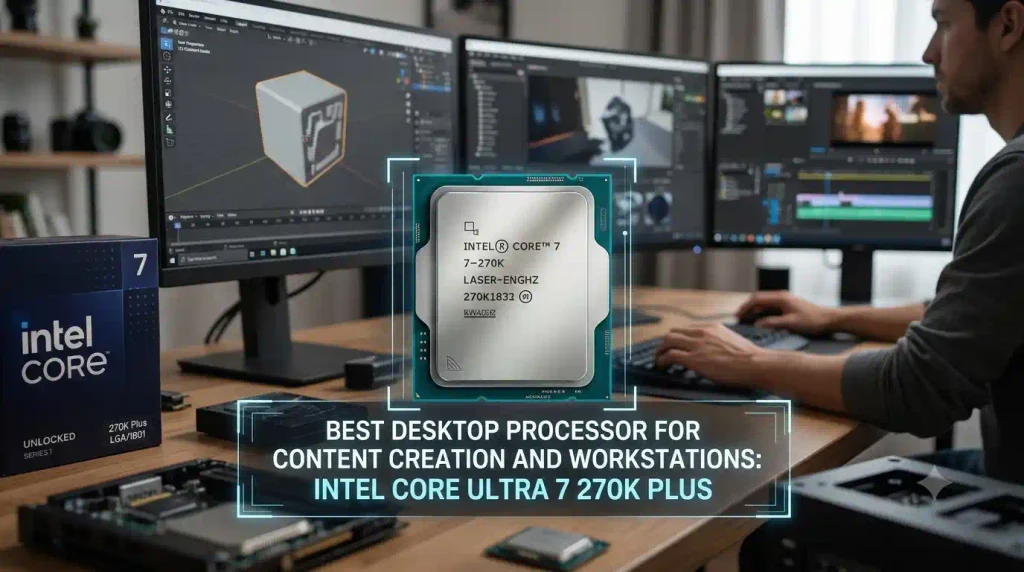
Socket: LGA 1851
- Cores/Threads: 24 cores
- Architecture: Arrow Lake Refresh
- Estimated Price in India: ₹38,000 – ₹40,000
Intel’s Core Ultra 7 270K Plus delivers strong multi-core performance. With 24 cores, it easily handles video editing, 3D rendering in Blender or Unreal Engine, and compiling large code projects.
3. Best Mid-Range Sweet Spot: AMD Ryzen 5 7600 / Intel Core i5-14400F
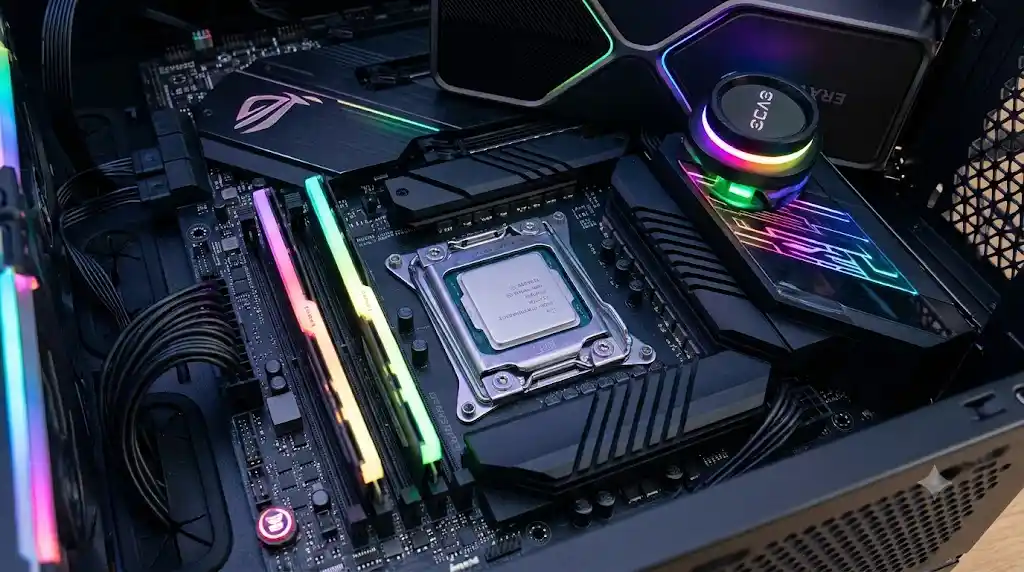
- Approx. Price: ₹16,800–₹19,000, depending on the processor.
- Cores and Threads: Ryzen 5 7600 offers 6 cores and 12 threads, while Core i5-14400F has 10 cores and 16 threads.
- Platform: AMD uses AM5, while Intel uses LGA 1700.
- Memory Support: Ryzen 5 7600 supports DDR5; the i5-14400F supports DDR4 or DDR5, depending on the motherboard.
- PCIe Support: Both support PCIe 5.0, depending on the platform and configuration.
- Integrated Graphics: Ryzen 5 7600 includes basic integrated graphics, while the i5-14400F requires a dedicated graphics card.
- Gaming Performance: Both are suitable for 1080p gaming when paired with a graphics card such as the RTX 4060 or RX 7600.
4. Best Budget CPUs for Entry-Level PCs: Intel Core i3-14100F and AMD Ryzen 5 5600GT
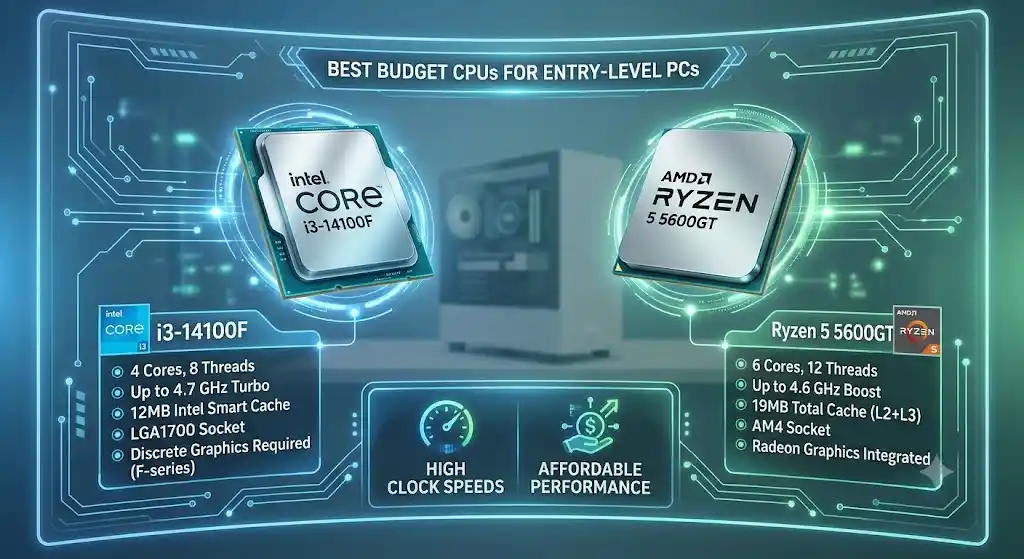
- Intel Core i3-14100F Price: Approximately ₹11,000–₹11,500.
- AMD Ryzen 5 5600GT Price: ~₹14,500 – ₹15,000
- If you are building a budget desktop PC within ₹35,000–₹45,000, consider these two processors:
- Intel Core i3-14100F: Pair it with an affordable dedicated graphics card for smooth 1080p gaming.
- AMD Ryzen 5 5600GT: Offers capable integrated graphics, allowing you to build a PC without buying a separate graphics card initially, Vega graphics, letting you play games like GTA V, CS2, or FIFA right away without buying a separate graphics card.
Best Laptop Processors in 2026
Unlike desktop computers, laptop processors are soldered directly onto the motherboard and cannot be upgraded later. Choosing the right chip when you buy is very important.
Laptop Workload Matrix:

- Everyday Office / Browsing / Studies  --> Intel Core Ultra 5 / AMD Ryzen 5 (U Series)
- Thin & Light + AI Productivity        --> Intel Core Ultra 7 (Series 2) / AMD Ryzen AI 7
- Heavy Gaming & 4K Video Editing      --> Intel Core Ultra 9 HX / AMD Ryzen 9 HX
Top Mobile Processor Families
- Intel Core Ultra Series 2 (Lunar Lake / Arrow Lake-H): Offers great battery life and power efficiency in thin laptops. It includes built-in Arc graphics and strong NPUs for AI tasks.
- AMD Ryzen AI 300 Series (Strix Point): Uses Zen 5 and RDNA 3.5 graphics. It balances multi-core speed, good gaming frames on built-in graphics (Radeon 890M), and fast NPU speeds above 50 TOPS.
- Intel Core Ultra 9 290HX / AMD Ryzen 9 9955HX: Top choices for thick, powerful desktop-replacement laptops built for heavy 3D rendering, CAD work, and AAA gaming.
Desktop vs Laptop Processors: What Indian Buyers Must Know
Many buyers wonder whether a laptop Core i7 performs the same as a desktop Core i7. The answer is no. Performance depends on the processor model, power limits, and cooling system.
| Feature | Desktop Processor | Laptop Processor |
|---|---|---|
| Power Draw (TDP) | High (65W to 250W+) | Low to medium (15W to 55W+) |
| Upgradability | Usually upgradeable if the CPU socket and motherboard support it | Usually soldered and not upgradeable |
| Cooling Limits | Better cooling with large air or liquid coolers | Limited by the laptop’s compact design |
| Value per Rupee (₹) | Generally offers higher raw performance per rupee | Offers better portability and convenience |
| Best For | Gaming, heavy workloads, and desktop workstations | Students, office work, travel, and portable gaming |
Buying tip: Don’t compare processors by names like Core i5, Core i7, or Ryzen 7 alone. Check the exact model, generation, power limits, and benchmark performance before buying.
Indian Buyer Considerations: Thermal Management, Sockets & Warranty
1. Managing High Summer Temperatures
- In many parts of India, room temperatures reach 35°C–45°C during summer. Modern CPUs automatically boost their speeds until they reach heat limits (usually around 95°C–100°C).
- Desktop Tip: Do not rely on basic stock coolers for CPUs above 65W power usage. Get a dual-tower air cooler (like the Deepcool AK620 or Thermalright Peerless Assassin) or a liquid cooler.
- Laptop Tip: Make sure your laptop has dual fans and good bottom airflow. Using an inclined laptop stand helps keep temperatures down.
2. Platform Upgradeability (AM5 vs LGA 1851 vs LGA 1700)
- AMD AM5: Supported through 2027 and beyond, meaning you can drop a newer CPU into the same motherboard later.
- Intel LGA 1851: Built for Core Ultra Series 2 chips.
- Intel LGA 1700 / AMD AM4: Older platforms. They are cheap to buy right now, but future upgrades will require you to buy a new motherboard and RAM as well.
3. Benefits of GST Invoices and Official Warranty in India
- GST Billing: If you are buying for a business, office, or startup, buying through authorized Indian dealers lets you claim up to 18% GST input tax credit.
- Warranty Verification: Check that your processor box has an official Indian distributor sticker (such as Ingram Micro, Redington, or Rashi Peripherals). Processors brought in through gray-market or unofficial channels may not come with a valid 3-year local warranty in India.
READ ALSO:Best 5G Tablet Under ₹40,000 with Pen in India:
Frequently Asked Questions
Q1: Is AMD or Intel better for gaming PCs in India in 2026?
AMD currently leads in desktop gaming performance because of its 3D V-Cache chips, like the Ryzen 7 9800X3D and Ryzen 9 9950X3D. However, Intel’s Core i5 and Core Ultra 5 series offer great frame rates at lower prices for budget and mid-range gamers.
Q2: Do I need a dedicated graphics card if my CPU has integrated graphics?
For web browsing, office work, 4K video watching, and light games (like CS2 or GTA V on a Ryzen 5 5600GT), built-in graphics are enough. But if you want to play heavy AAA games or do 3D rendering, you need a separate graphics card (NVIDIA RTX or AMD Radeon).
Q3: What is an NPU and why does it matter in modern laptop processors?
An NPU (Neural Processing Unit) is a special chip built into modern processors just for handling AI tasks. It runs local AI features—like live background blur, video call noise reduction, and local image creation—without slowing down your main CPU or draining your battery.
Q4: Is DDR4 RAM still worth buying for a budget PC build in India?
Yes, if you are building an ultra-budget PC under ₹35,000. Older platforms like Intel LGA 1700 and AMD AM4 let you use cheaper DDR4 RAM. But for any mid-range or future-proof PC, DDR5 RAM is the recommended choice.
Q5: What processor speed is good for a coding and programming laptop?
For software development, having multiple cores and plenty of RAM (16GB minimum, 32GB recommended) matters more than just clock speed. An Intel Core Ultra 7 or AMD Ryzen 7 laptop with 8 or more cores will easily handle compiling code, running Docker, and heavy virtual machines.
1 thought on “Best Laptop and PC Processors (2026): Complete Buyer Guide for India”